- Feb 19, 2025
FAQ: I Can’t Find My Courses on SketchLoose.co.uk
- Toby Haseler
- 0 comments
If you’re having trouble finding your purchased courses on www.sketchloose.co.uk, follow these steps to troubleshoot.
Please make sure you read careful - there are very clear instructions here, with screenshots and images at each step. There is also a video below that explains these steps in real time:
1. Make Sure You’re Logged In Correctly
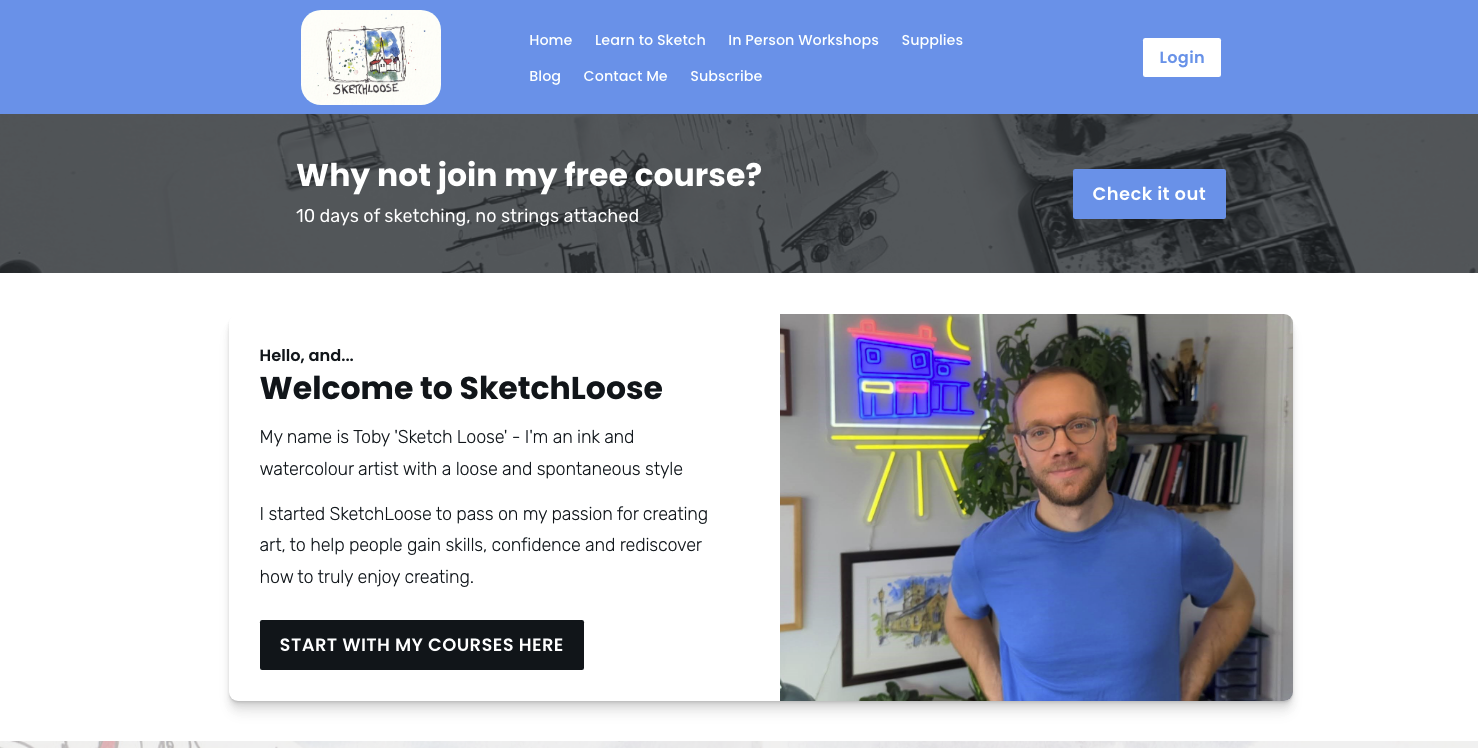
Click the Log In button in the top right-hand corner of the website.
On a phone or tablet, access the login via the drop-down menu.
Use the email address you signed up with.
You can also log in by going to this link: https://www.sketchloose.co.uk/login
2. Check Your Email for Course Links
When you signed up, you should have received a confirmation email with direct links to your courses.
Check your inbox and spam folder in case it was filtered.
If you didn’t receive an email, you may have entered the wrong email address when signing up.
3. Check Your Dashboard
After logging in, go to your Dashboard. You can find that on this link: https://www.sketchloose.co.uk/p/home
-
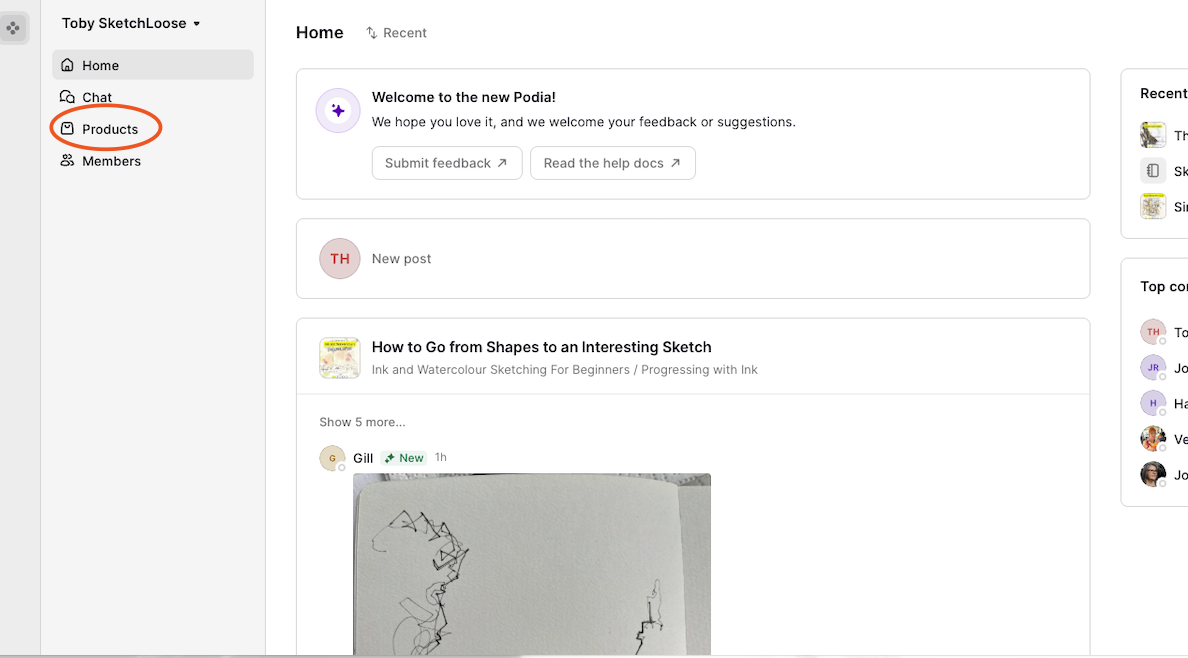
On a desktop or laptop, you will have the following screen as your dashboard:
On the left, click 'products' and this will bring up all of your purchased and free courses
On a mobile/tablet or similar there is one extra step:
When you go to your dashboard - (you can find that on this link: https://www.sketchloose.co.uk/p/home ) - you will have a slightly different screen, but in the top left corner will be the following:
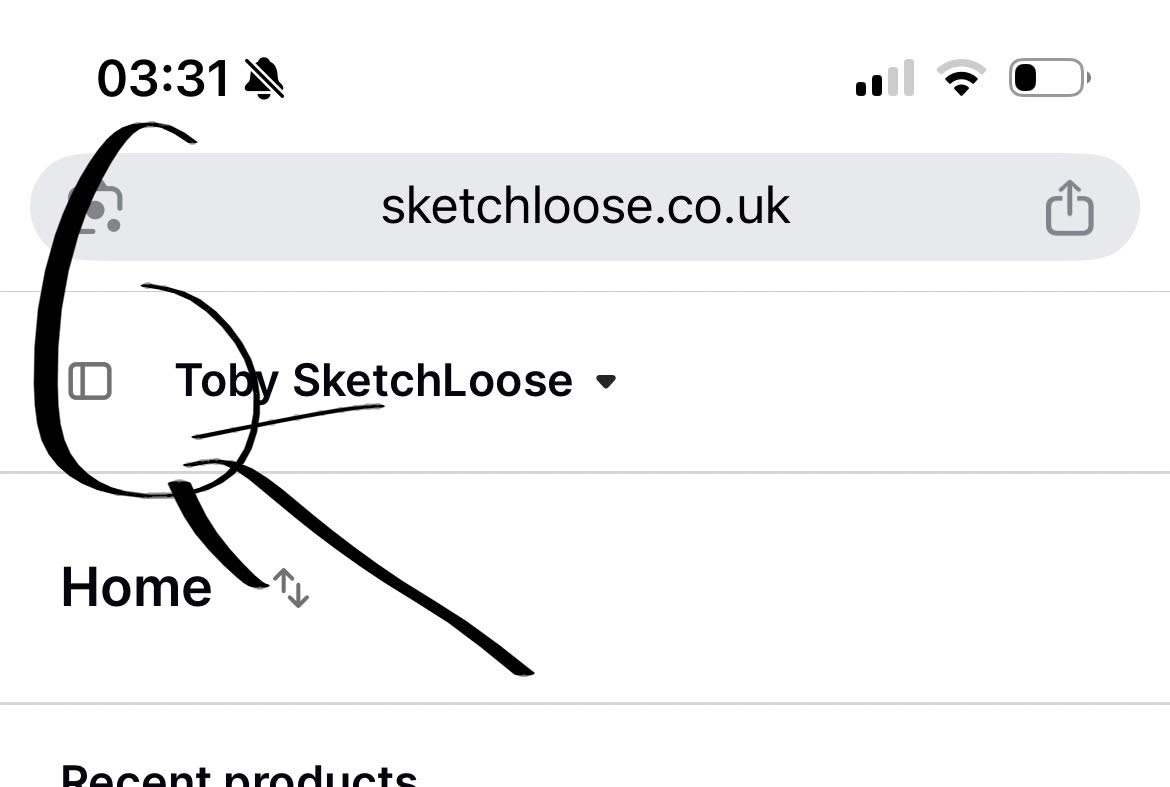
Please click on the little file icon on the left of the screen as circled above
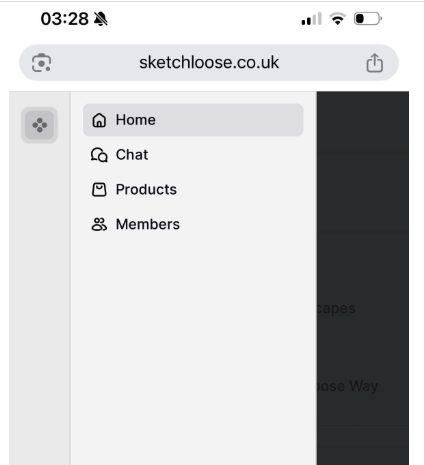
That will bring up the side bar again, where you can click products and proceed to find all your courses listed
4. You Might Have Two Accounts
If you have multiple email addresses, you might have signed up with the wrong one.
Try logging out and logging back in with a different email.
5. Still Stuck? Send a Screenshot
If you’ve tried everything and still can’t access your courses:
Take a screenshot of where you’re getting stuck.
Take a screenshot of your dashboard after logging in.
Email both screenshots to toby.h.email@gmail.com, and I’ll help you sort it out.
Looking forward to getting you sketching!